Automatically generate a spreadsheet and personalized QR codes for every student or employee. Simply scan the code with any smartphone camera to record arrival time and GPS location—updated instantly to your Google Sheet™.
Experience the exact mobile scan-to-sheet workflow right now in your browser:
| Name | UID | Role | Time | QR Code | Status | Last Check-in |
|---|
| Timestamp | UID | Name | Action | Status | GPS Coordinates |
|---|---|---|---|---|---|
| Awaiting scan... Click "Simulate Phone Check-In" on the left! | |||||
Everything teachers, HR managers, and event organizers need—built directly inside Google Sheets™.
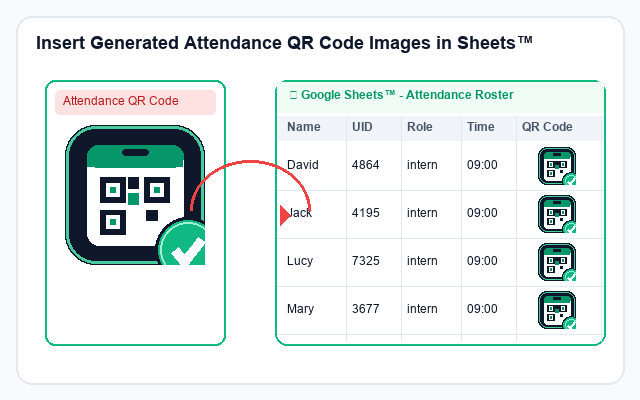
Automatically generates crisp, high-resolution QR codes directly into spreadsheet cells using native formulas. Perfectly aligned with row height formatting for effortless scanning.
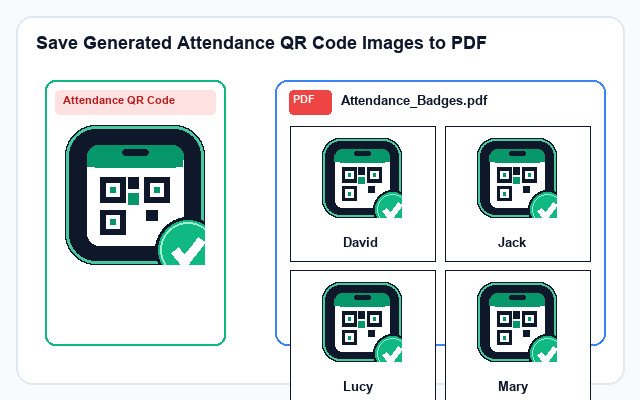
Export clean, printable ID badge cards in standard A4 grids (2x2, 2x4, 3x4). Each card features the crisp QR code, bold student name underneath, UID, and role ready for laminating or printing.
Students or employees simply open their phone camera (iPhone or Android) and scan their QR code. Zero typing required. The system automatically records exact time and GPS coordinates.
Every teacher gets their own private linked Google Form backend automatically. Data writes straight into the teacher's spreadsheet with zero external VPS, zero database fees, and complete privacy.
Get your class or company attendance running in less than 2 minutes:
Open Google Sheets™ and click Initialize Attendance Sheet. The add-on creates the standardized Roster and Logs sheets along with a linked backend Google Form.
Enter student or employee names. Click Generate Attendance QR Codes to insert codes in cells, or Save to PDF to print physical ID cards.
Students scan their badge with any phone camera. Attendance is logged in real-time with timestamp and GPS, evaluating On Time vs Late automatically!
Student class attendance, lab tracking, university lectures, and dorm check-ins.
Employee work shifts, remote office branches, factory shifts, and contractor logs.
VIP attendee registration, board meetings, and certified professional training.
Exhibition entry gate check-in, festival pass verification, and sporting events.
Start free today with no credit card required.
No! Students or employees can scan the QR code using their default phone camera (iPhone iOS Camera, Android Camera, or scanner apps like Zalo). It opens the lightweight Web App instantly with no installation needed.
Yes! Thanks to our innovative Headless Google Form Engine, each teacher has their own private Google Sheet and linked Google Form. Scans from Teacher A's students write exclusively into Teacher A's file with zero permission conflicts.
When the mobile check-in screen opens, it retrieves the device's HTML5 GPS coordinates (Latitude & Longitude) and submits them alongside the timestamp, proving the student was physically on site.
100% inside your own Google Drive™ and Google Sheet™. We operate a strict serverless architecture and never store your roster or attendance logs on any external third-party server.